
Hi All, today I am going to attempt to set up HPE Cloud Volumes as a repo for Zerto to store its Long Term Retention data. this is something completely new to me so hopefully we can all learn something on the way.
so let’s look at the steps needed to create the backup store and connect it to Zerto.
- Create backup store inside HPE Cloud Volumes
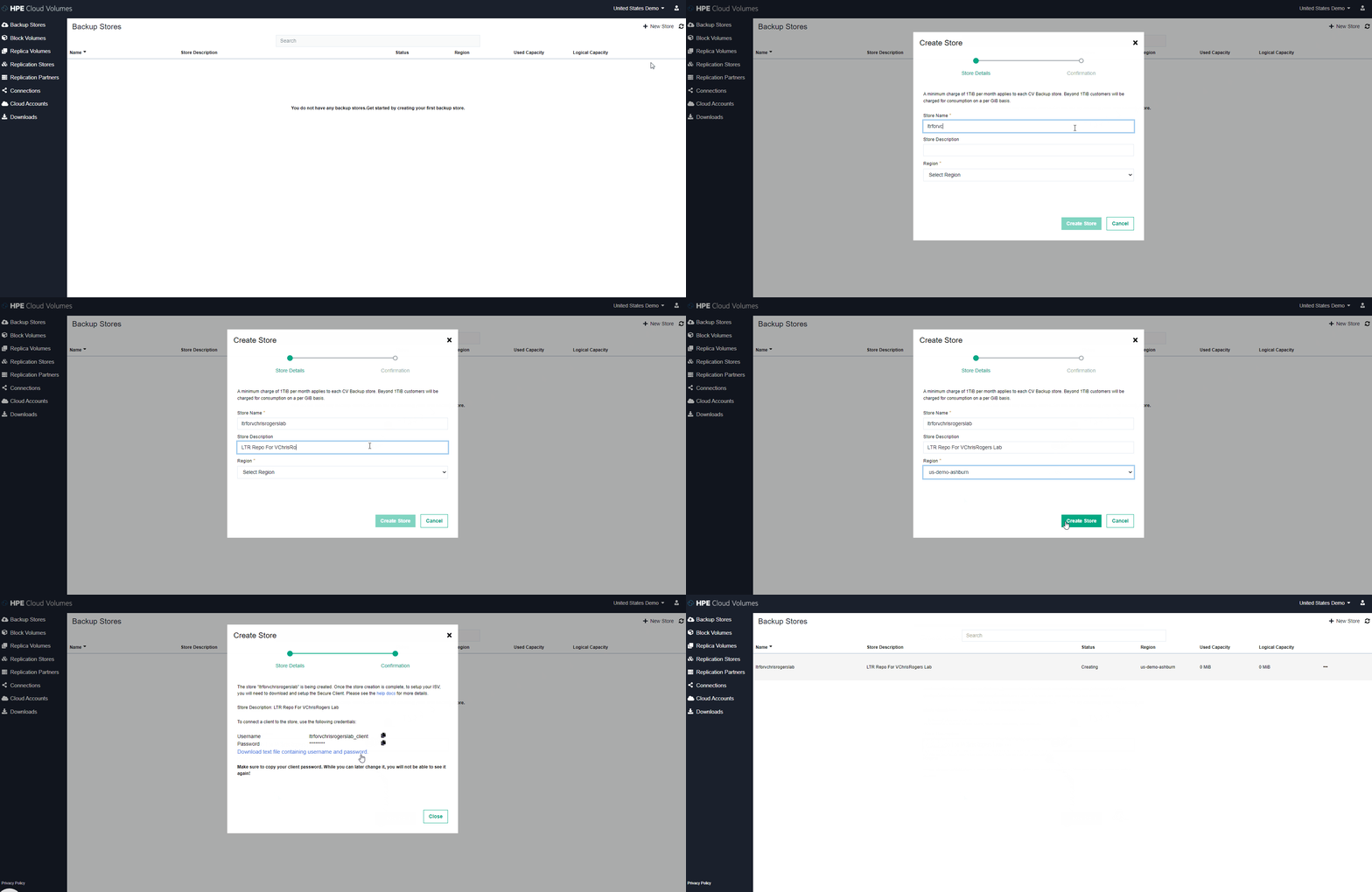
2. download the secure client from the options tab on the store we just created
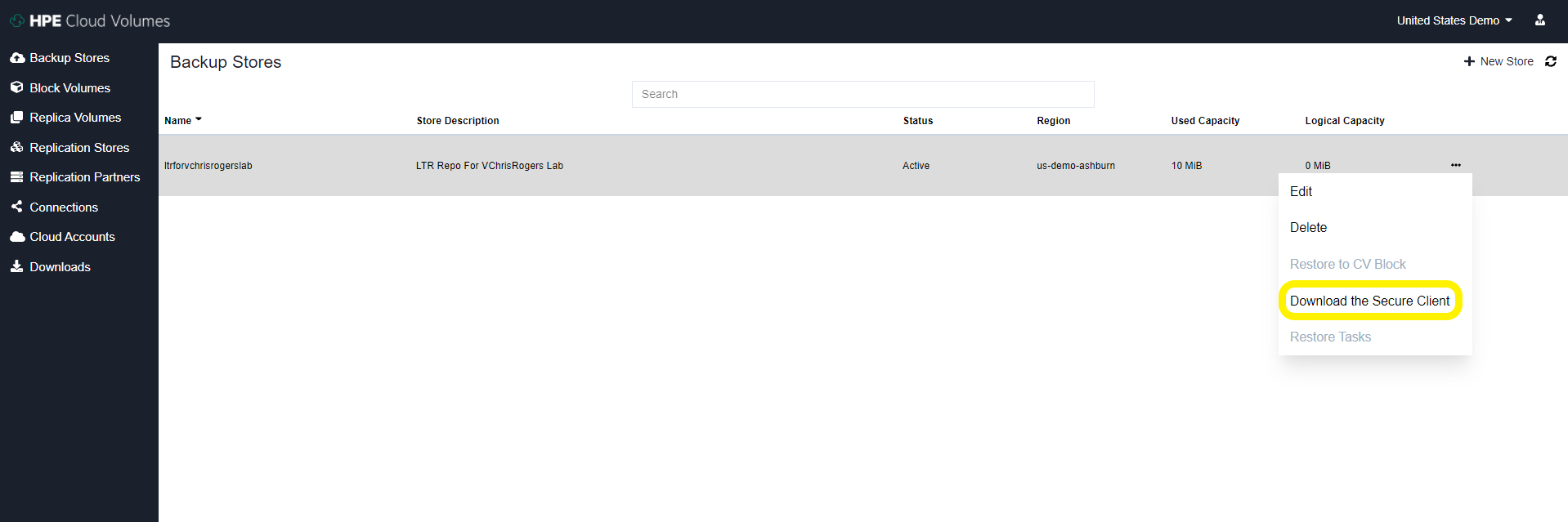
3. Apply config to secure client server On-Prem – I used the official documentation from HPE to do this : https://docs.cloudvolumes.hpe.com/help/kts1584136344568/
I deployed an Ubuntu 20 VM and with my rather limited Linux skills I did manage to configure the secure client service correctly and get it running.
I did have a couple of issues along the way, most likely the issue stemmed from me not reading things properly (I think we have all been there) issues I had are: In the secure_client_config.yaml file I had to change the paths to absolute paths for the files and i have to change the ownership of the files to the user i was running thes service as, again probably just my poor linux knowledge shining through
# Certificate path for CDS signing authority
ca: /opt/cloudvolumes/ca.crt

# Client certificate issued by CDS to customer
cert: /opt/cloudvolumes/client.crt

# Client key issued by CDS to customer
key: /opt/cloudvolumes/client.key

# CBS public endpoint address
target1: demo-us-ashburn-1.cloudvolumes.hpe.com:9387
target2: demo-us-ashburn-1.cloudvolumes.hpe.com:9388

# Local ports to listen upon
source1: 0.0.0.0:9387
source2: 0.0.0.0:9388
4. Once this service has started and all look good inside the VM you can now add the Repo to Zerto in the exact same way that you would add a HPE Catalyst Store from a StoreOnce Appliance – The credentials used are the ones you downloaded from the HPE Cloud Volumes page earlier on.
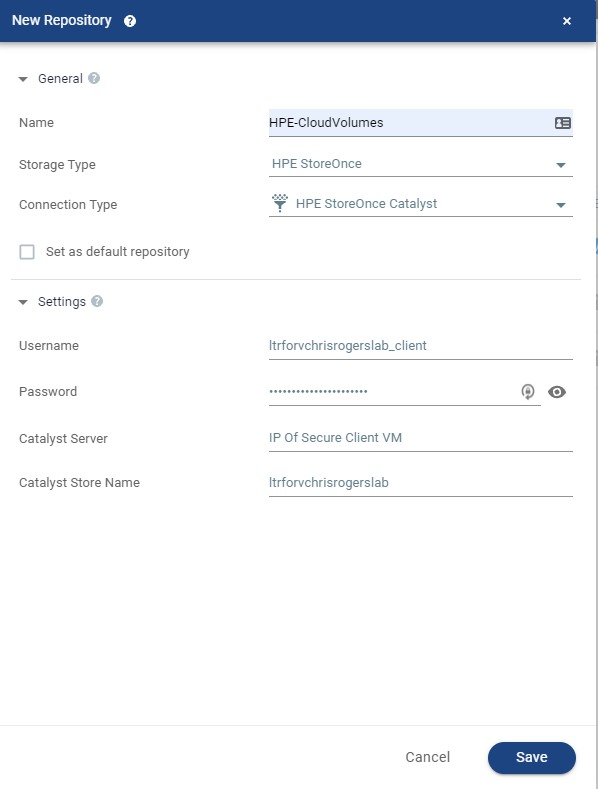
5. Once this is added you will see it appear as a Catalyst store inside the Zerto UI and now this is enabled for Zerto to store LTR copies on

Now all we have to do is configure a VPG to utilise LTR and send some snapshot free backups to the cloud!
I know this wasn’t particularly in depth but honestly it’s super easy to configure as are most things within Zerto.
This is a great use case for getting your data offsite but not having to pay egress charges etc – another way Zerto and HPE work amazingly well together.
Thanks for reading everyone
feel free to comment and share
Cheers
Chris




 VChrisRogers